
Customer administrators (“customer admin” or an “admin”) are your company’s delegated individuals responsible for managing company users.
NEXTDC will setup an initial customer administrator account. Customer administrators can invite additional users to interact with ONEDC and assign permissions and groups to control the information users can see and the activities users can perform (e.g. view and raise tickets, open racks, etc.).
User accounts (also called “profiles”) are required for all individuals who will:
- Access racks (remotely via ONEDC or on-site via an IDAC).
- Log into the ONEDC portal (e.g. view reports, monitor rack status, request tickets, etc).
- Receive notifications including rack status and service advisories.
- Be inducted into a data centre.
- Receive an IDAC (Identity Access Card).
ONEDC has two types of users:
Administrator users – with elevated permissions who can make changes to the tenancy, groups, users , rack access and manage racks. Administrators can set up custom groups to finely control relevant access for each user and can also promote users to the Administrators group.
and
Standard users – who view and update their own information via My Profile.
Users are assigned to specific customer accounts called “tenancies”. You will automatically receive an invitation if you are not a registered user and someone requests an induction, IDAC or access for you. By default, users do not have access to ONEDC unless the Administrator chooses this during the user creation step.
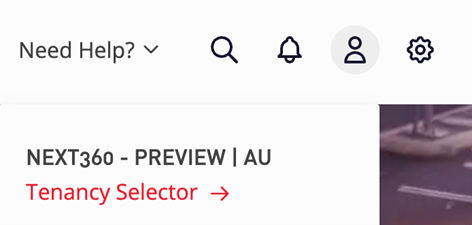
If you are a user of multiple tenancies, you may be able to switch tenancies using the Tenancy Selector tool found via the Menu Bar Person icon. This will only be available where the you have been granted permission to access multiple tenancies.
IMPORTANT: When staff leave your company, your customer administrator must de-activate the user. If the user is not deactivated and has an active IDAC, this will continue to be billed and they may still be able to access the facility until this action has been taken.