
Within ONEDC users can assign devices to racks for visualisation of the hardware in each rack. There are many device types available in the tool.
Devices can be:
- Chassis devices – a physical frame to support multiple internal modules
- Powered devices
- Connected devices with network connections and IP allocations.
Devices can be installed (i.e. currently in use in a rack) or awaiting installation.
To help identify devices, you can add:
- Device images - to show the front and back of the device:
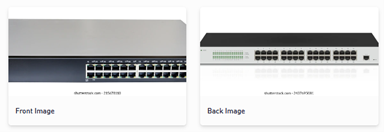
- Device tags – you can add multiple user-defined device “tags” for a device. For example, you can add tags to identify new devices, test devices, groups of devices (e.g. Test, Development, etc.).
ONEDC has a library of “device templates” that contain manufacturer information including size, weight, RU slots, and a graphic image of the device. You can use the pre-defined manufacturer templates, define your own templates, or search for devices associated with a device template.
IMPORTANT! To manage devices and templates efficiently, NEXTDC recommends first creating the device templates, and then adding new devices using the templates. You can update the devices (and templates) at any time if required.
Device templates specify chassis module information (for chassis devices), network connections (for connected devices) and power connections (for powered devices).
You can also search and show devices, add a new device, edit a specific device and delete a device, and generate reports for devices and device templates.