
ONEDC reports provide insights into real-time ONEDC operations including:
- Assets – including devices, rack and spaces
- Administration activities – managing users and groups
- Operational activities – including power, environmental and rack access.
When you generate a report, ONEDC shows reports on the screen by default. You can:
- Search and filter to report specific information
- Download and save selected reports to a PDF or CSV file
Selected reports (e.g. power and environment reports) show information in both table and chart formats:
|
Example power report – table format |
Example power report – chart format |
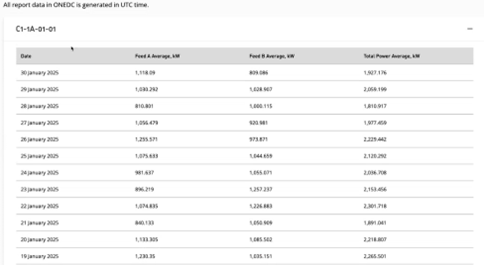
|
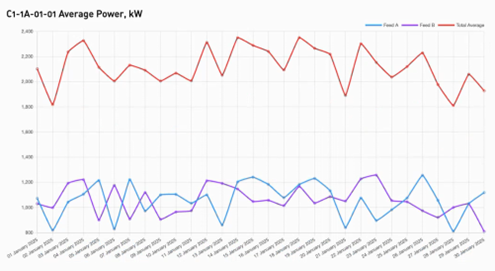
|
ONEDC has the following reports:
|
Report Area |
Report |
Description |
|
Assets |
Devices |
Comprehensive summary of all devices in the tenancy. |
|
Device Templates |
All device templates in the tenancy. |
|
|
Power Rails |
All power rails in the tenancy. |
|
|
Racks |
All racks in the tenancy. |
|
|
Spaces |
All spaces in the tenancy. |
|
|
Vendors |
All vendors in the tenancy. |
|
|
Administrative |
Groups |
Comprehensive summary of all groups and their permissions in the tenancy. |
|
Users |
All users in the tenancy. |
|
|
Audit Log |
All changes to user records in the tenancy. |
|
|
Operational |
Rack Power Draw Report |
Comprehensive analysis of the power consumption for each rack within the tenancy. |
|
Environmental Report |
Comprehensive analysis of the humidity and temperature for each rack within the tenancy. |
|
|
Rack Audits |
Log of audits conducted for racks in the tenancy. |
|
|
Rack Access Logs |
Records of all access to racks in the tenancy. |
|
|
Power Outage Simulation |
Simulation for devices that may be affected by a power outage if a specific power rail goes offline. |