
To use ONEDC, every individual needs an account also known as a “user profile” which are setup by your Customer Administrator.
You will receive a user account invitation via email. To activate your account, you must accept your ONEDC account invitation.
To accept your invitation and activate your account:
- Click the link in the email:
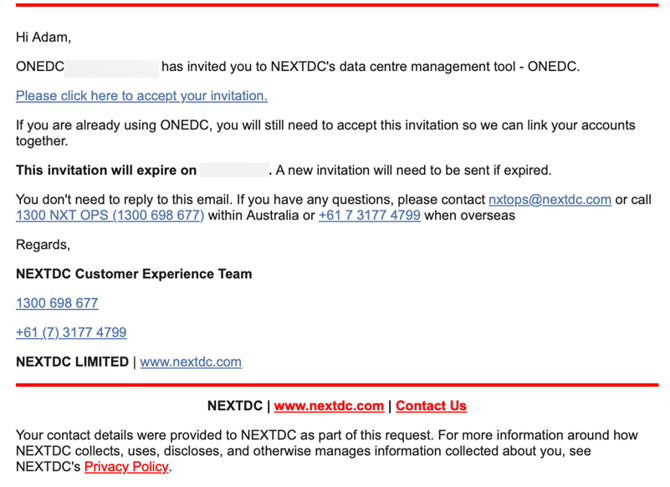
- A browser will open and show the Accept Invitation page.
- Click Next to continue.
- Review the terms and conditions. If agreed, select Accept All and click Next to continue.
- ONEDC shows a summary of the information. Review the information and click Confirm to continue.
- ONEDC will show a message confirming the activation was successful.
- Check your email and follow any additional instructions.
- Once your account is setup, you can log in (https://onedc.com) and setup setup Multi-Factor Authentication (MFA) for your account.
- To physically access NEXTDC facilities on a permanent basis, you will:
-
- require an IDAC (Identity Access Card);
- be required to complete relevant site inductions to ensure your safety on site
- need to be a member of a ONEDC Group that provides you with appropriate permissions.
- Need to ensure you understand the Facility Rules.
-
Your administrator will organise the process to provide you with access to the above processes. You can expect notifications from NEXTDC (typically emails and/or portal notifications) that guide you through the process.